Meals · our signature feature
Cook for the people who will actually eat.
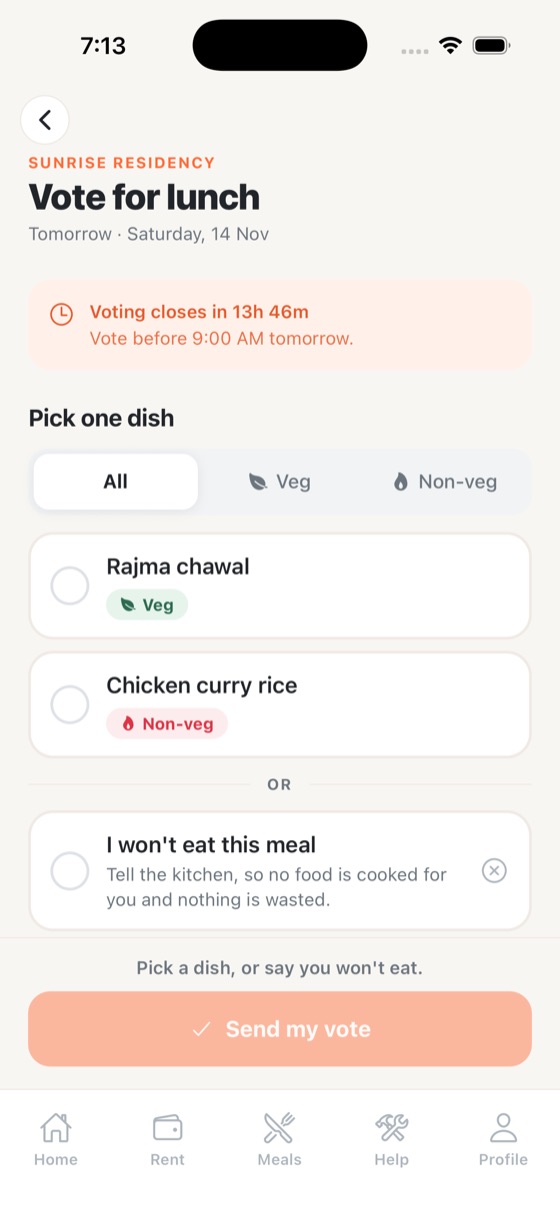
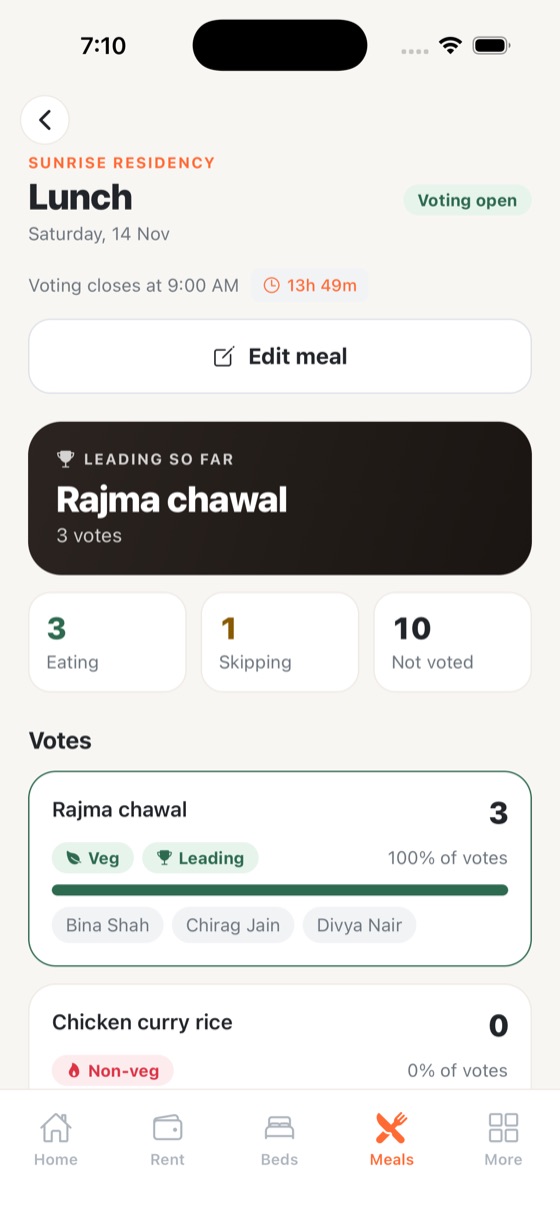
This is where “Khana” comes from. The kitchen posts 2 to 4 dishes for a meal. Tenants vote for one before a cut-off time, or say they won’t eat. When voting closes, the kitchen sees exactly how many people are eating, how many are skipping and who hasn’t voted.
- Veg / non-veg menus for breakfast, lunch and dinner
- Automatic reminders before voting closes
- See who is eating, who is skipping, who hasn’t voted
Less food thrown away, fewer “there was no food for me” complaints.
How it works
Meal voting in four steps
Kitchen posts the menu
2–4 dishes for breakfast, lunch or dinner, for any day ahead.
Tenants vote or skip
With veg / non-veg filters and a reminder before the cut-off.
Voting closes
The winning dish is announced to everyone automatically.
Cook the exact count
The kitchen sees eating, skipping and not-voted numbers.
FAQ
Meal voting: common questions
How does meal voting reduce food waste in a PG?
Tenants say before a cut-off time whether they will eat and what. The kitchen cooks for that headcount instead of for every tenant, so less food is thrown away.
What if a tenant forgets to vote?
PG Khana sends a reminder before voting closes. The kitchen also sees who hasn’t voted, so they can decide how to count them.
Can we set different meal timings?
Yes. The owner sets the timings and voting cut-off for breakfast, lunch and dinner.
Bring PG Khana to your PG.
Free setup for pilot PGs. We load your rooms and beds and help your tenants join.