Rooms, beds & tenants
Know who sleeps where, and which bed is earning nothing.
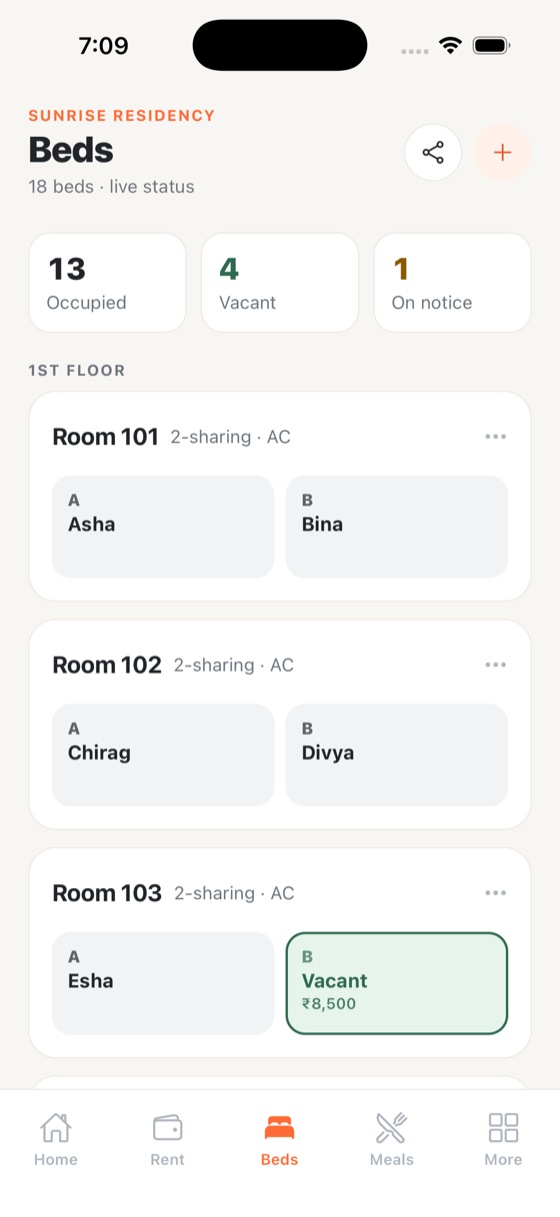
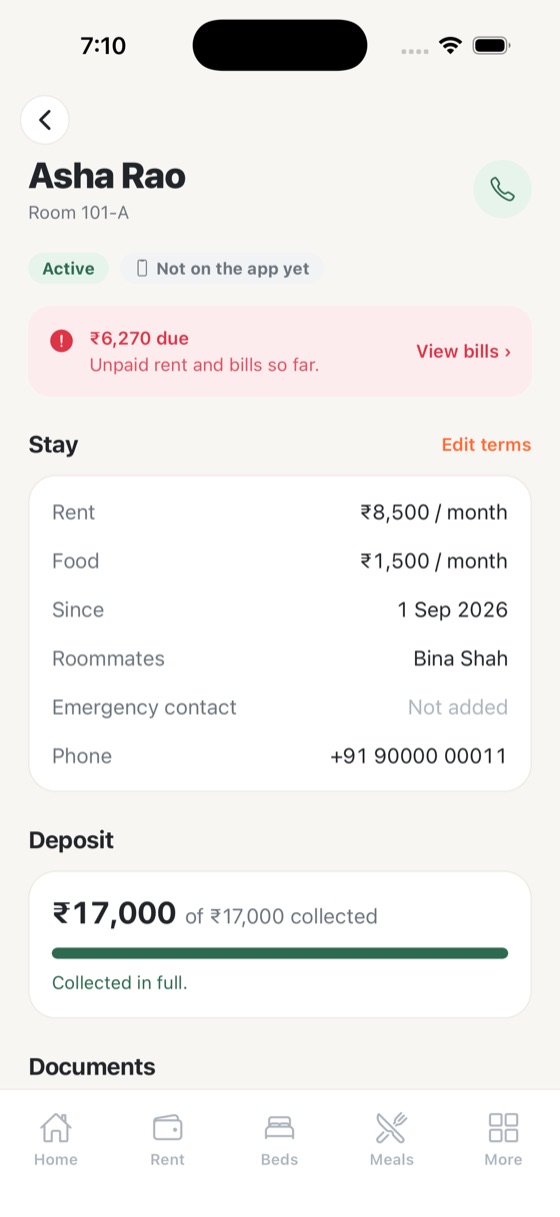
A live bed map by floor and room shows which beds are occupied, vacant or on notice. Every tenant has a file with their rent terms, deposit collected, dues, roommates and documents, and move-ins and move-outs are kept on record.
- Vacant beds show their price and share to WhatsApp
- ID proof, photo, agreement and police verification checklist
- Move-in and move-out history kept on record
How it works
Beds & tenants in four steps
Add floors and rooms
Set beds per room and the rent for each bed.
Move tenants in
Record rent terms, deposit and documents in the tenant file.
Watch occupancy
Occupied, vacant and on-notice beds update live.
Fill empty beds
Share vacant beds with their price on WhatsApp in one tap.
FAQ
Beds & tenants: common questions
Can I track security deposits?
Yes. Each tenant file records the deposit collected, and the owner home screen shows the total deposits held.
Can I store tenant ID proofs?
Yes. Each tenant has a documents checklist for ID proof, photo, rental agreement and police verification. Files are stored privately and are only visible to the PG’s owner and managers.
What happens when a tenant leaves?
Record the move-out date. The bed becomes vacant and the past tenant stays on record with their history.
Bring PG Khana to your PG.
Free setup for pilot PGs. We load your rooms and beds and help your tenants join.